
01
Set up your restaurant floor plans
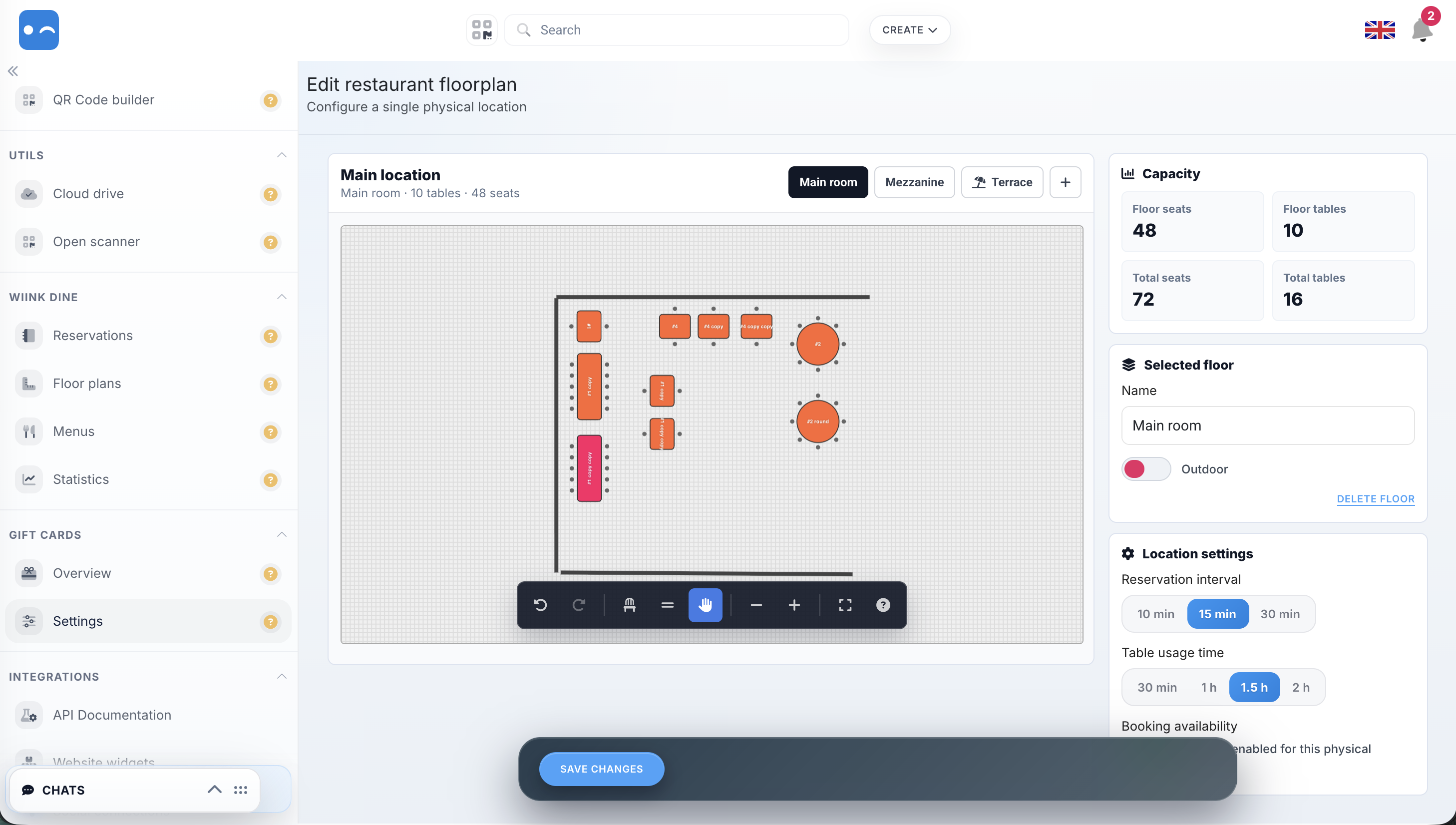
Build floor plans for your locations, with multiple floors or areas and outdoor spaces. Arrange tables and walls in the visual editor to reflect the restaurant your team works in.
WIINK Dine
Set up your floor plans, define seating capacity and table occupancy times, then manage reservations and arrivals in WIINK Dine. Connect how you run your restaurant with the tools that bring your guests in and back again.
Let’s talk business ↗Build floor plans for your locations, with multiple floors or areas and outdoor spaces. Arrange tables and walls in the visual editor to reflect the restaurant your team works in.
Name your tables and set the number of seats at each one. Review floor and location seat totals so you can plan your capacity around your actual layout.
Set reservation intervals and table usage duration for each location. Match your booking setup to the pace you want to offer, whether that is a quick lunch or a longer dining experience.
Use your floor plan and table timeline, assign seating and track arrivals. Search for a guest or table and keep a clear view of reservations and walk-in guests during your service.
Manage your Dine menus and use menu and Book now widgets on your website. Your guests can plan their visit while your team manages reservations in WIINK.
Review your booking and guest statistics to understand your services. Prepare a Flash offer for a quieter period and invite your guests to follow you so the relationship continues after the meal.
In your business
IN YOUR WIINK ECOSYSTEM
Put your menu and booking entry point on your existing restaurant website.
Explore →Promote the service you want to fill with a relevant, time-limited offer.
Explore →Invite your guests to follow you and hear about their next reason to visit.
Explore →Clarify a special request with your guest through CRM chat or an audio/video call before their visit.
Explore →Before you start
Modules and services depend on your plan, installed apps and market. Share your workflow with the team to confirm the right setup.
WIINK FOR BUSINESS
Your customer insight, campaigns and visits, connected in your WIINK ecosystem.
Let’s talk business ↗